

Observability
Bub provides two complementary ways to inspect and debug Agent runs:
- Inspect the session Tape (built-in): check entry counts, token usage, and prompt cache hit rates, and search historical events with zero external setup.
- Export OpenTelemetry traces: track per-step latency and error stacks across model calls and tool executions in platforms such as Arize Phoenix or Pydantic Logfire.
Inspect the session Tape
Section titled “Inspect the session Tape”Tape is Bub’s built-in session recording mechanism. With no configuration at all, you can use built-in commands to check the health of the current session:
bub run "What tools do you have, and what is each one good for?"bub run ",tape.info"Example output:
name: becda04eb9f7369c__065943a03cbe6395entries: 98anchors: 2last_anchor: session/startentries_since_last_anchor: 44last_token_usage: 7458last_token_cache_hit_rate: 72.50%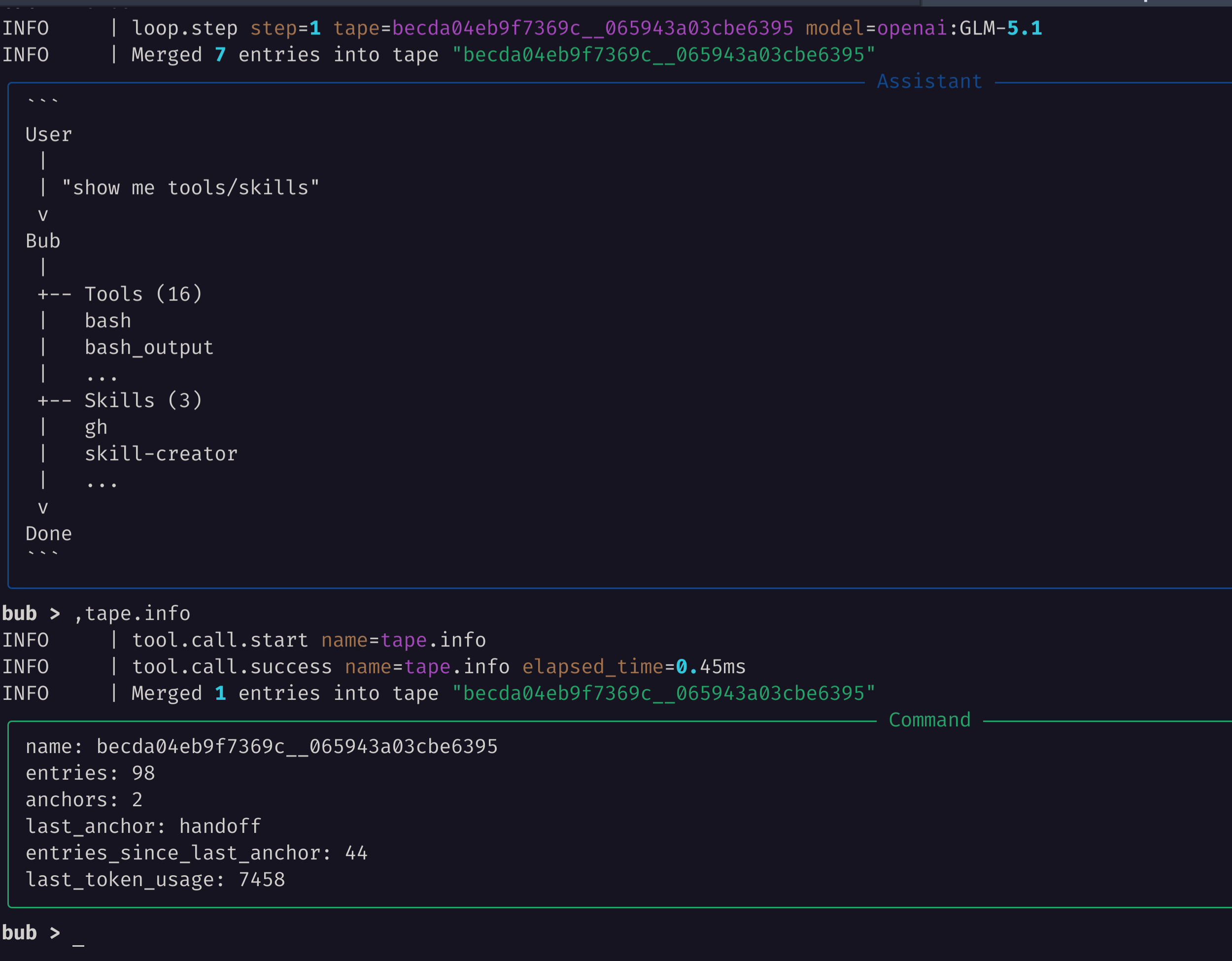
Metrics explained
Section titled “Metrics explained”| Field | Meaning |
|---|---|
entries |
Total entries recorded in the session (messages, tool calls/results, and events) |
anchors / last_anchor |
Total anchors and the latest anchor name (the default context start point) |
entries_since_last_anchor |
New entries since the latest anchor; run tape.handoff when this grows large |
last_token_usage |
Total tokens used by the most recent model call |
last_token_cache_hit_rate |
Prompt cache hit rate on the most recent model call |
Search historical events
Section titled “Search historical events”When you need to check whether a tool call succeeded or locate a specific step, skip paging through raw logs and search the Tape directly with ,tape.search:
bub run ",tape.search query=loop.step"Export OpenTelemetry traces
Section titled “Export OpenTelemetry traces”When you need to analyze model latency, tool execution time, and error stacks, export traces to an observability platform over OpenTelemetry (OTLP).
Arize Phoenix (local Docker)
Section titled “Arize Phoenix (local Docker)”-
Start a local Arize Phoenix container (UI at
http://localhost:6006):Terminal window docker run --rm --name bub-phoenix -p 6006:6006 arizephoenix/phoenix:latest -
Install the
traceextra in Bub’s environment:Terminal window # Project or virtual environmentuv add "bub[app,trace]"# Or in a Bub source checkoutuv sync --extra app --extra trace -
Set OTLP environment variables and run a task:
Terminal window export OTEL_SERVICE_NAME=bubexport OTEL_EXPORTER_OTLP_TRACES_ENDPOINT=http://localhost:6006/v1/tracesexport OTEL_EXPORTER_OTLP_TRACES_PROTOCOL=http/protobufbub run "Use a tool to list the files in the current workspace."
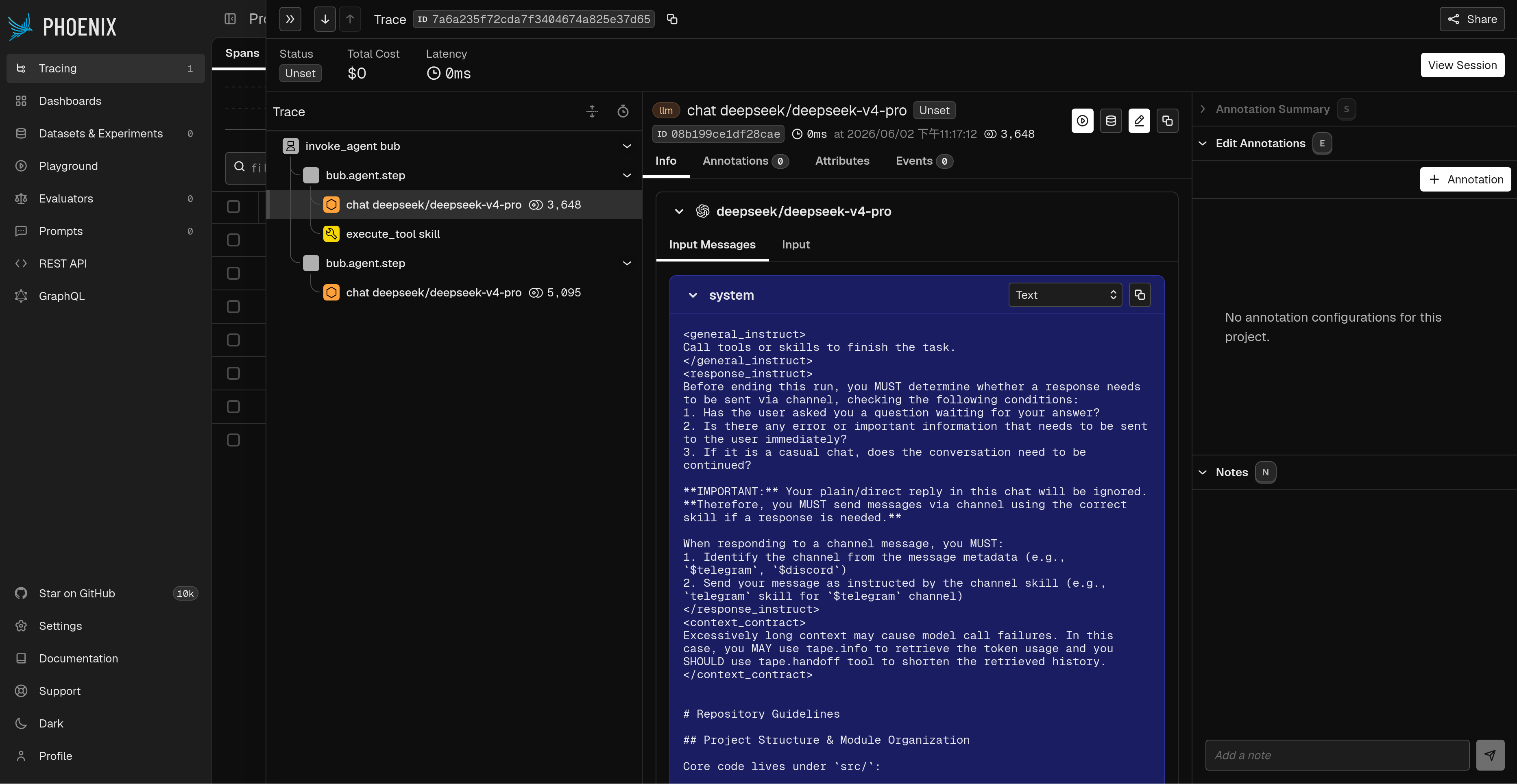
Open http://localhost:6006 and select the Default project to inspect the trace waterfall for model calls (chat <model>) and tool executions (execute_tool <tool>):
Pydantic Logfire
Section titled “Pydantic Logfire”If you prefer not to run a local Docker container, export traces to hosted Pydantic Logfire:
# Unset custom OTLP endpoints so Logfire takes overunset OTEL_EXPORTER_OTLP_TRACES_ENDPOINT OTEL_EXPORTER_OTLP_ENDPOINT
uv add "bub[logfire]"logfire authlogfire projects use
bub run "Inspect this repository and summarize its directory structure."
Open the Logfire web console and visit the Agents page to inspect Bub’s live call stack and subagent traces.
Enable in Python SDK code
Section titled “Enable in Python SDK code”If you embed Bub through the Python SDK, call configure_otlp() at service startup (reads OTEL_EXPORTER_OTLP_TRACES_ENDPOINT and standard OpenTelemetry environment variables):
from bub.tracing import configure_otlp
configure_otlp()
Troubleshooting
Section titled “Troubleshooting”| Symptom | Possible cause | Fix |
|---|---|---|
| No traces appear in Phoenix | Endpoint path or protocol mismatch | Ensure OTEL_EXPORTER_OTLP_TRACES_ENDPOINT ends with /v1/traces and protocol is http/protobuf |
Missing opentelemetry module |
trace extra is not installed |
Run uv add "bub[app,trace]" or pip install "bub[app,trace]" |
| Logfire receives no data | Conflicting OTLP env vars or unauthenticated | unset OTEL_EXPORTER_OTLP_TRACES_ENDPOINT and re-run logfire auth |
Cleanup
Section titled “Cleanup”When finished testing, stop the local Phoenix container and clear the environment variables:
docker rm -f bub-phoenixunset OTEL_SERVICE_NAME OTEL_EXPORTER_OTLP_TRACES_ENDPOINT OTEL_EXPORTER_OTLP_TRACES_PROTOCOL